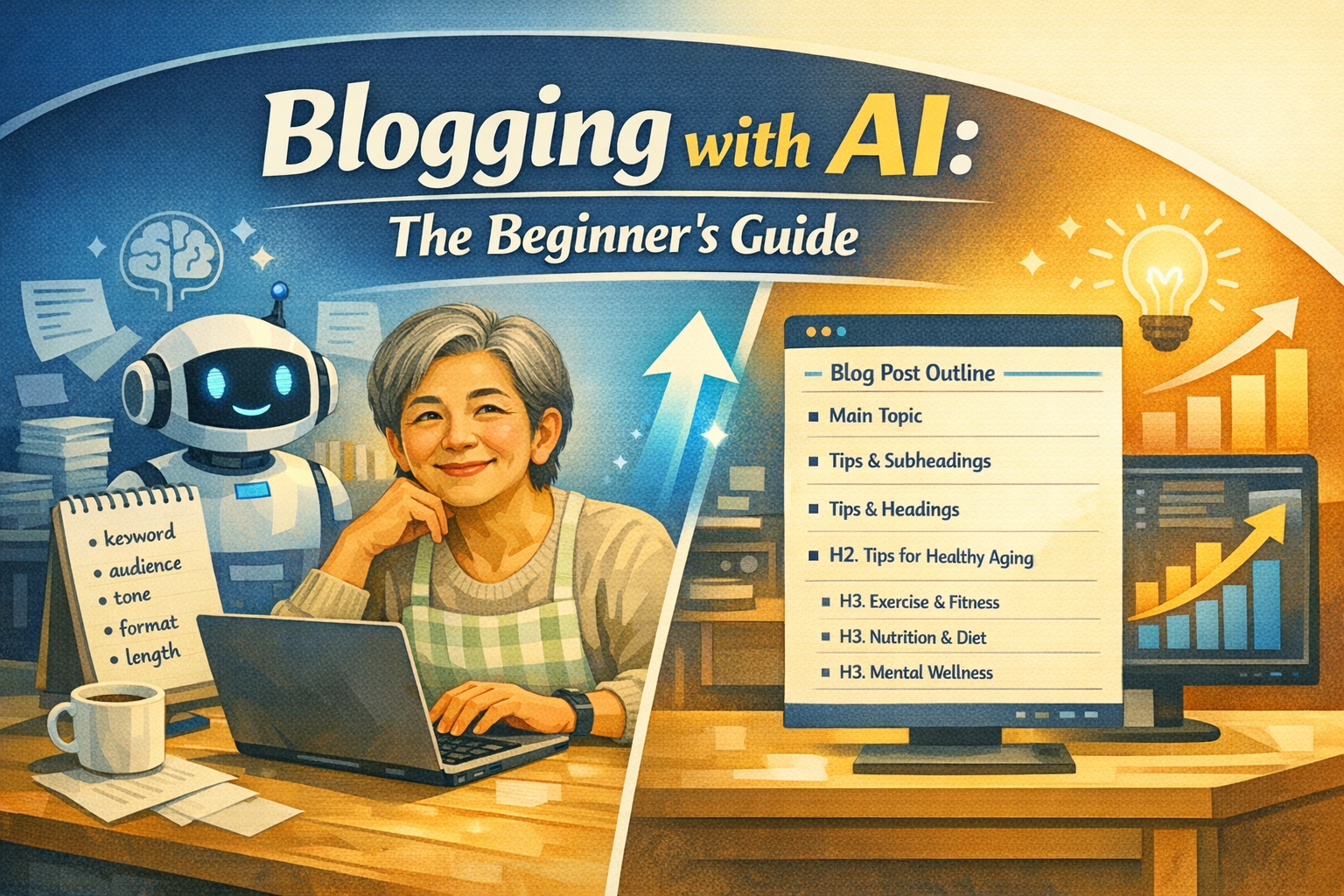
You don’t need to be a great writer. You just need to know how to work with the right tools.
By Sarah Mitchell | Updated March 2026 | ~13 min read
| BOTTOM LINE — READ THIS FIRST AI won’t write your blog for you. But it will make you dramatically faster, more consistent, and better at SEO — even if you’ve never published a single post. This guide shows you exactly how beginners are using AI tools today to build real blogs that get real traffic. No fluff. No hype. Just what actually works. |
Let’s be honest about something.
Most people who “want to start a blog” never actually do. And the ones who do start often quit after three posts because it takes too long, feels too hard, or never seems to get any traffic.
That was before AI changed everything.
Today, a beginner with zero writing experience and zero technical knowledge can publish a well-structured, SEO-optimized blog post in under two hours. Not a mediocre post. A genuinely useful one that has a real shot at ranking on Google.
I know because I watched it happen — and then did it myself.
This guide is everything I wish I’d had when I started. It covers the tools, the workflow, the mistakes to avoid, and the strategies that actually move the needle. If you’ve been sitting on the idea of starting a blog, consider this your permission slip.
| 600M+ blogs currently active on the internet | 77% of internet users read blogs regularly | 3x more leads generated by blogs vs. paid ads |
Why AI + Blogging Is a Game-Changer for Beginners
Here’s the hard truth about traditional blogging: it’s brutally slow to start.
Keyword research alone used to take hours. Then you’d spend another afternoon writing a draft that felt awkward and stilted. Then editing. Then figuring out meta descriptions, internal links, image alt text — all the invisible SEO plumbing that Google cares about deeply.
Most beginners burned out before they saw a single visitor from organic search.
AI changes this equation in three specific ways.
Speed: From Days to Hours
What used to take a full weekend now takes a focused afternoon. AI can generate a complete blog outline in seconds, write a 1,500-word draft in minutes, and suggest 10 headline variations before your coffee gets cold.
You’re no longer starting from a blank page. You’re editing, refining, and adding your perspective — which is a fundamentally easier task than creating from nothing.
SEO: Built In, Not Bolted On
Here’s where AI really earns its place in the blogging workflow. Modern AI tools can analyze top-ranking content for any keyword, identify the specific terms and questions Google associates with that topic, and help you structure your post to match what search engines reward.
This isn’t keyword stuffing. It’s understanding search intent — the real reason someone types a query — and making sure your content genuinely answers it. AI makes this accessible to people who’d never heard of “semantic SEO” a year ago.
Consistency: The Thing That Actually Builds Traffic
Every experienced blogger will tell you the same thing: consistency is the only strategy that reliably builds organic traffic. Publishing one post per week for a year beats publishing 20 posts in January and then nothing.
AI makes consistency achievable. When writing a post takes four hours instead of two days, maintaining a publishing schedule becomes something you can actually stick to.
| A clean, editorial-style flat illustration showing a split screen. Left side: a person at a desk surrounded by scattered papers, a calendar showing stress, and an hourglass nearly empty — representing the slow, overwhelming traditional blogging process. Right side: the same person, relaxed and smiling, working on a minimal laptop setup with a glowing AI chat interface visible. Charts showing upward growth appear in the background. Color palette: deep navy, sky blue, warm cream. Modern editorial illustration style, not cartoonish. 📌 Caption: “AI doesn’t replace the blogger — it removes the bottlenecks that stop most people from becoming one.” |

The AI Blogging Toolkit: What You Actually Need
You don’t need 12 subscriptions and a dedicated server. You need a lean stack of tools that cover the core jobs: writing, SEO, and presentation. Here’s the honest breakdown.
| Tool | Best For | Cost |
| ChatGPT / Claude | Drafting, outlining, rewriting, Q&A | Free tier available |
| Surfer SEO | On-page SEO scoring and NLP keywords | Paid — worth it at scale |
| Jasper | Long-form blog writing, brand tone | Paid — good for teams |
| Frase | Content briefs from top-ranking pages | Affordable mid-tier plan |
| Grammarly | Editing, tone detection, clarity | Free + premium |
| RankMath / Yoast | WordPress SEO scoring + readability | Free with premium add-ons |
| Canva AI | Blog featured images, infographics | Free tier generous |
For absolute beginners, start with just two: ChatGPT or Claude for writing, and RankMath or Yoast inside WordPress for on-page SEO feedback. That’s enough to publish professional-quality content immediately.
Add Surfer SEO or Frase once you’re publishing consistently and want to compete in more competitive niches. These tools are genuinely powerful — but they’re wasted if you’re not already publishing regularly.
Free vs. Paid: What’s Worth Spending Money On?
The free tier of ChatGPT covers 80% of what most beginner bloggers need. Claude’s free tier is similarly capable. Don’t feel pressured to spend money on AI writing tools until you’ve published at least 10 posts and understand where your bottlenecks actually are.
The one tool worth paying for early? Your hosting and WordPress theme. A fast, clean website is table stakes for SEO. Cheap shared hosting and a bloated theme will tank your Core Web Vitals scores and suppress your rankings regardless of how good your content is.
| “The bloggers winning with AI aren’t the ones using the most tools. They’re the ones who learned to prompt well and edit ruthlessly.” — Neil Patel, NeilPatel.com |
The Step-by-Step AI Blogging Workflow
This is the workflow I use — and that I’ve seen work for dozens of beginner bloggers. It’s not theoretical. It’s the actual sequence of steps that takes a topic idea to a published, optimized post.
| 1 | Pick a Keyword (Not a Topic) Topics are vague. Keywords are specific. Before you write anything, use Google’s autocomplete, AnswerThePublic, or ask ChatGPT to generate 20 long-tail keyword ideas for your niche. Target keywords with decent search volume and low competition — typically 500 to 5,000 monthly searches. |
| 2 | Analyze Search Intent with AI Paste the keyword into ChatGPT and ask: ‘What is the search intent behind this keyword? What format do top-ranking posts typically use?’ This takes 60 seconds and prevents you from writing a listicle when Google wants a how-to guide — or vice versa. |
| 3 | Generate a Detailed Outline Prompt AI with your keyword, target audience, and desired word count. Ask for an H2/H3 structured outline that covers the topic comprehensively. Review it critically — add, remove, or reorder sections based on your own knowledge of the topic. |
| 4 | Write Section by Section Don’t ask AI to write the whole post at once. Feed it one section at a time with your outline as context. This produces tighter, more focused writing and gives you more control over each part of the post. |
| 5 | Add Your Voice and Real Experience This is the step that separates good AI-assisted content from generic filler. Add personal stories, specific examples, strong opinions, and anything you know that the AI doesn’t. This is also what Google’s EEAT (Experience, Expertise, Authoritativeness, Trust) guidelines reward. |
| 6 | Optimize for On-Page SEO Paste your draft into your CMS and run the RankMath or Yoast analysis. Target a green score. Use AI to generate your meta description, suggest internal link anchors, and write image alt text for every visual in the post. |
| 7 | Edit Like a Human, Publish Like a Professional Read the post aloud. Cut everything that sounds robotic, generic, or padded. Add a compelling intro that hooks the reader in the first two sentences. Then publish — and promote it to at least one channel (email list, Twitter/X, Pinterest, or Reddit). |
How Long Should AI Blog Posts Be?
Long enough to fully answer the question. Not a word longer.
For most competitive keywords, 1,500 to 2,500 words is the sweet spot. Some informational topics reward depth — think 3,000+ words with genuine detail. But AI-padded posts that hit 4,000 words by repeating the same points perform poorly. Google can tell.
A useful rule of thumb: look at the word count of the top three ranking posts for your target keyword. Match or slightly exceed the most comprehensive one — but only if you have real substance to add.
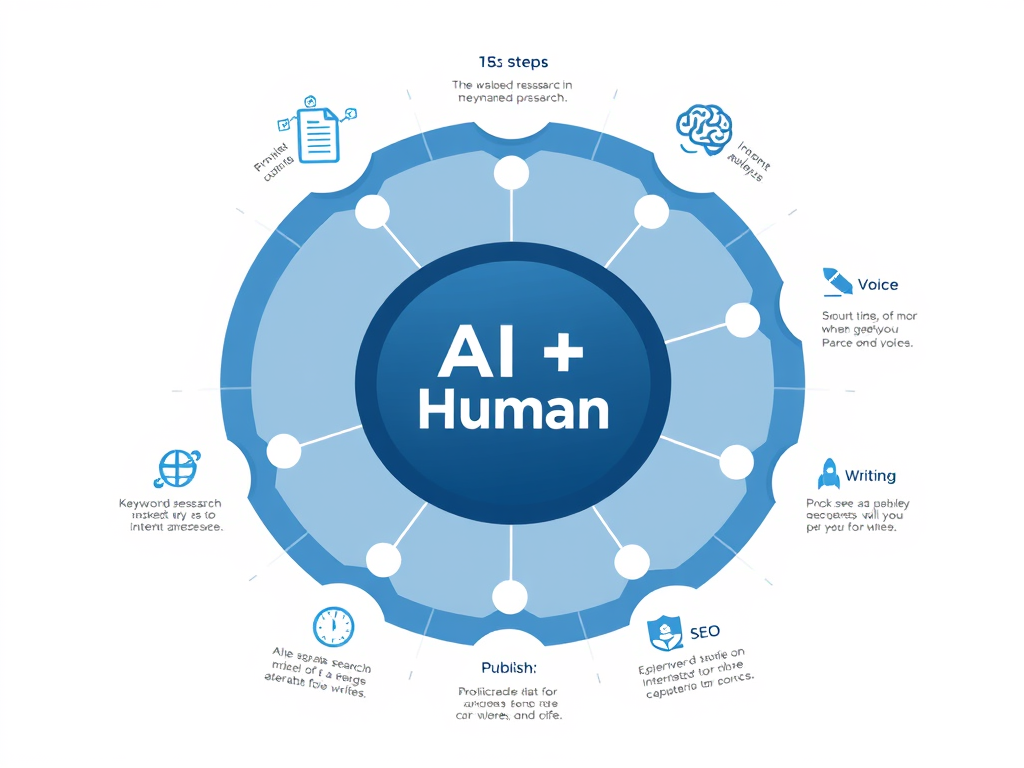
| An editorial infographic-style illustration showing a circular workflow diagram with 7 numbered steps around a central ‘AI + Human’ icon. Each step has a small icon (magnifying glass for keyword research, brain for intent analysis, list for outline, pencil for writing, person for voice, gauge for SEO, rocket for publish). Clean, modern design with a navy and sky-blue color scheme on a white background. Labels should appear professional and readable, suitable for a tech or marketing blog. 📌 Caption: “The workflow isn’t complicated — but skipping any step is where most beginners lose their SEO edge.” |
AI Blogging: Before vs. After (Real Comparison)
Numbers and workflow descriptions are useful. But sometimes you just want to see the concrete difference. Here’s a direct comparison of what the same blog-creation tasks look like with and without AI.
| Task | Without AI | With AI |
| Keyword Research | 1–2 hours manual Googling | 5–10 minutes with AI prompts |
| Blog Outline | 30–60 min brainstorming | 2 minutes, ready to edit |
| First Draft (1,500 words) | 3–5 hours writing | 20–30 min editing AI draft |
| Meta Description | Often forgotten entirely | Auto-generated in seconds |
| Internal Link Ideas | Manual review of all posts | AI suggests links instantly |
| Headline Variations | Struggle to write 2–3 | 10 options in 30 seconds |
The productivity difference isn’t marginal. It’s transformational. A blogger who can produce a fully optimized post in two hours instead of eight can publish four times as often — which compounds dramatically over 12 months.
But here’s the caveat nobody loves to hear: faster output only matters if the quality is there. AI-generated content that hasn’t been properly edited, fact-checked, and personalized will rank poorly and lose readers quickly. The table above assumes you’re using AI as a collaborator, not a replacement for thinking.
The Mistakes That Kill AI-Assisted Blogs
Most beginner AI bloggers make the same five mistakes. Knowing them in advance puts you months ahead of the learning curve.
Mistake #1: Publishing Without Editing
Raw AI output is a first draft. Often a pretty good one. But it’s never final copy. AI writing tends to be overconfident, repetitive, and generic in ways that experienced readers immediately recognize. Edit every post with a critical eye before hitting publish.
Mistake #2: Ignoring Search Intent
You can write a beautiful, AI-polished post and have it rank on page 47 because the format was wrong. If users searching your keyword want a product comparison, don’t write a personal essay. Matching format to intent is non-negotiable.
Mistake #3: Writing About Everything
Niche focus is everything in SEO. A blog that covers travel, personal finance, fitness, and tech will struggle to rank for anything. Google rewards topical authority — the perception that your site is a trusted resource on a specific subject. Pick a lane and stay in it for at least six months.
Mistake #4: Expecting Fast Results
New blogs typically take three to six months to see meaningful organic traffic — even with excellent content and solid SEO. This isn’t a flaw in your strategy. It’s the Google sandbox effect, and it’s normal. The bloggers who quit at month two would have succeeded at month five.
Mistake #5: Skipping the Human Layer
The blogs that are winning with AI aren’t the ones using the most automation. They’re the ones adding the most genuine human value on top of it. Real experience. Specific data. Controversial opinions. Humor. Vulnerability. These are the things AI genuinely cannot generate — and they’re exactly what readers (and Google) reward.
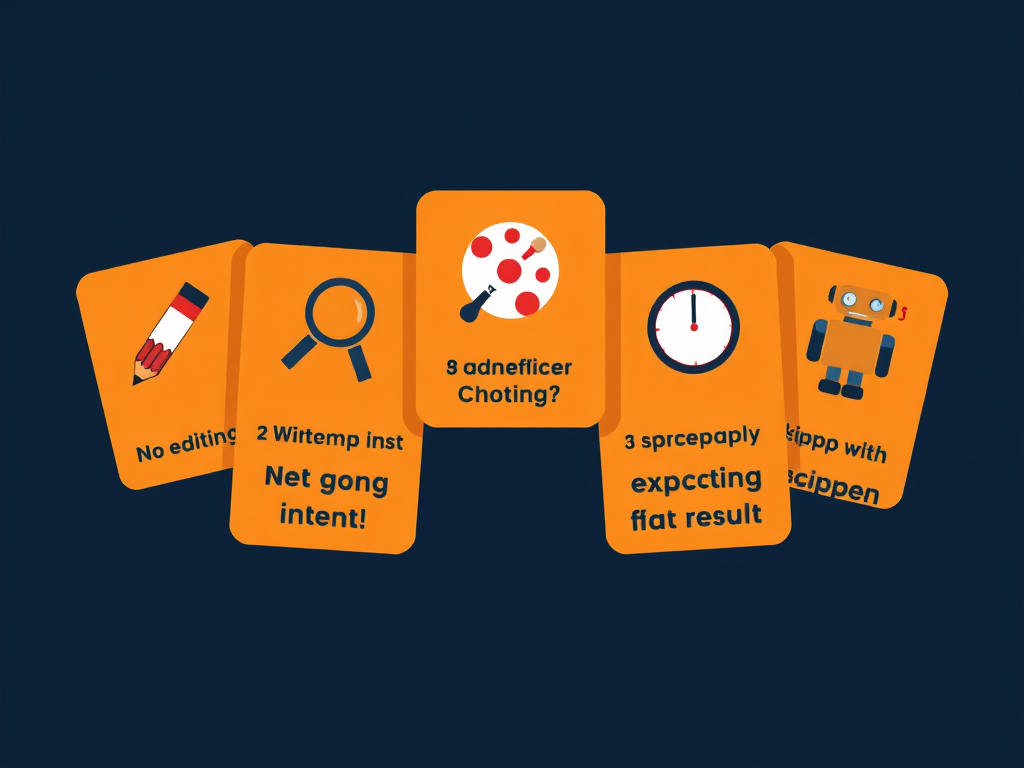
| A stylized editorial illustration showing five ‘warning sign’ cards arranged in a slight arc, each with a bold icon and label: (1) a pencil with an X — ‘No Editing,’ (2) a magnifying glass with a question mark — ‘Wrong Intent,’ (3) a scatter diagram — ‘No Niche Focus,’ (4) a slow clock — ‘Expecting Fast Results,’ (5) a robot with a red slash — ‘Skipping the Human Layer.’ Clean flat design with warm orange warning tones against a dark navy background. Professional, editorial feel — suitable for a marketing blog. 📌 Caption: “Every one of these mistakes is avoidable — once you know to watch for them.” |
How to Write Prompts That Get Excellent Results
Most people get mediocre AI output because they write mediocre prompts. This is fixable.
The difference between a generic AI response and a genuinely useful one usually comes down to three things: specificity, context, and constraints.
The Anatomy of a Good Blogging Prompt
Here’s a before-and-after example that illustrates the principle clearly.
| ❌ Weak Prompt “Write a blog post about email marketing.” | ✅ Strong Prompt “Write an H2/H3 structured outline for a 2,000-word blog post targeting the keyword ’email marketing for small businesses.’ The audience is solopreneurs aged 35–55 with no email marketing experience. The tone should be practical and direct, not salesy. Include a FAQ section.” |
See the difference? The strong prompt gives AI everything it needs to produce something immediately useful: keyword, audience, tone, format, word count, and a specific structural requirement.
Always include: the target keyword, your intended audience, the desired tone, the format (listicle, how-to, comparison, etc.), and approximate length. These five inputs reliably double the quality of AI output.
Prompts for Every Stage of the Blogging Process
- Keyword ideas: “Give me 15 long-tail keyword ideas for a blog about [niche]. Focus on informational intent keywords with low competition.”
- Outline: “Create a detailed H2/H3 outline for a post targeting ‘[keyword].’ The post should be [word count] words and target [audience].”
- Intro hook: “Write 3 different opening paragraphs for this post. Make each one conversational, and hook the reader within the first 2 sentences.”
- Meta description: “Write a 155-character meta description for a post titled ‘[title]’ targeting ‘[keyword].’ Include a mild call to action.”
- Humanize: “Rewrite this section to sound less AI-generated. Make it more conversational, add a rhetorical question, and vary the sentence length significantly.”
| A modern editorial illustration showing a chat interface between a human hand (left) typing a detailed, structured prompt and a glowing AI response panel (right) showing a polished blog outline with H2/H3 structure. The human side shows a notepad with bullet points labeled ‘keyword,’ ‘audience,’ ‘tone,’ ‘format,’ ‘length.’ The AI side shows organized, clean content. A bright upward arrow between the two panels suggests quality improvement. Color palette: dark navy, electric blue accents, cream text panels. Clean, slightly futuristic editorial illustration style. 📌 Caption: “Better prompts are the single highest-leverage skill you can develop as an AI blogger.” |

Building a Blog That Actually Grows: The Long Game
Publishing great posts is necessary. It’s not sufficient.
Blogs that grow combine good content with a few non-negotiable structural elements that most beginners overlook completely.
Build Topical Clusters, Not Random Posts
Google rewards sites that demonstrate deep knowledge of a subject. The way to demonstrate this is through topical clusters — a pillar post that covers a broad topic, supported by several detailed posts on specific subtopics, all interlinked.
Example: A pillar post on “Email Marketing for Small Businesses” supported by posts on “How to Write a Welcome Email,” “Email List Growth Strategies,” “Best Free Email Marketing Tools,” and “Email Open Rate Benchmarks.” Each post links to the pillar. The pillar links back to each. Google sees a coherent knowledge hub.
Internal Linking Is Free SEO
Every new post you publish should link to at least two or three existing posts. And every existing post it’s relevant to should link back to the new one. AI can help you identify these connections quickly — just paste your new post and ask for internal link suggestions based on your site’s existing content.
Update Old Posts — Don’t Just Write New Ones
One of the highest-ROI activities in blogging is refreshing old posts. Add new data. Expand thin sections. Update outdated information. Re-optimize for current search intent. Google notices freshness signals, and a well-updated older post often jumps significantly in rankings after a thorough refresh.
Email List: The Asset That Outlasts Algorithms
Google algorithm updates can tank organic traffic overnight. An email list cannot be taken away from you. Build one from day one — even if it’s just a simple “subscribe for weekly tips” box. Every subscriber is a guaranteed future reader who doesn’t depend on search rankings.
| 10 Key Tips for Beginner AI Bloggers Distilled from hundreds of hours of testing, publishing, and paying attention to what actually works: | |
| 1 | Start with a tight niche. Broad = invisible. Specific = findable. ‘Budget travel in Southeast Asia’ beats ‘travel tips’ every time. |
| 2 | Target long-tail keywords first. They’re easier to rank for, faster to see results, and still drive real traffic. |
| 3 | Use AI for outlines and drafts — then rewrite every paragraph in your own voice before publishing. |
| 4 | Always check your AI content for factual errors. AI confidently states incorrect things. You are responsible for accuracy. |
| 5 | Publish on a schedule you can maintain. One post per week beats three posts this week and nothing next month. |
| 6 | Add a real photo of yourself and a genuine author bio. Trust signals matter more than ever in the AI content era. |
| 7 | Set up Google Search Console on day one. It’s free, and it tells you exactly which keywords are driving impressions. |
| 8 | Interlink aggressively. Every post should send readers deeper into your site — not to a dead end. |
| 9 | Build your email list from post #1. Even 100 engaged subscribers are worth more than 10,000 one-time visitors. |
| 10 | Give it six months before judging results. SEO is a slow game with a steep exponential curve — most people quit just before the inflection point. |
| Summary: What You Need to Remember |
| AI makes blogging accessible to beginners by handling the most time-consuming parts: research, outlining, and first drafts. |
| The best AI blogging stack for beginners is simple: ChatGPT or Claude + WordPress + RankMath or Yoast. |
| A 7-step workflow (keyword → intent → outline → draft → voice → SEO → publish) produces consistently solid posts. |
| AI-assisted blogs produce 3–4x more content per month than manual blogs — and consistency is the primary driver of traffic growth. |
| The five biggest beginner mistakes are: no editing, ignoring search intent, no niche focus, expecting fast results, and skipping the human layer. |
| Better prompts = dramatically better AI output. Include keyword, audience, tone, format, and length in every writing prompt. |
| Long-term growth comes from topical clusters, aggressive internal linking, email list building, and regular content refreshes. |
| The human layer — real experience, genuine opinions, specific examples — is what separates AI-assisted blogs that rank from ones that don’t. |
| Start with one post. Use AI to help you outline it. Publish it. Then do it again. That’s the whole strategy — and it works. |
This guide is for informational purposes only. Tool pricing and features change frequently — always verify current plans on each provider’s website. Tags: AI Blogging · Beginner Guide · SEO · Content Marketing ·
Leave a Reply