By Han Jong-woo | April 2026
SummitSelect.org | AI & Daily Life | Practical Guides | Life After 60
The Bottom Line — Read This First
I’ll be straight with you.
When I first heard about ChatGPT, I ignored it for three months.
Not because I thought it was irrelevant. Because I assumed it wasn’t for me. I’m 71. I didn’t grow up with computers. I came to the internet late and smartphones even later. Every new technology has required more effort from me than it seemed to require from everyone around me who was younger.
So when my daughter kept mentioning ChatGPT, I nodded politely and changed the subject. I had enough to figure out already.
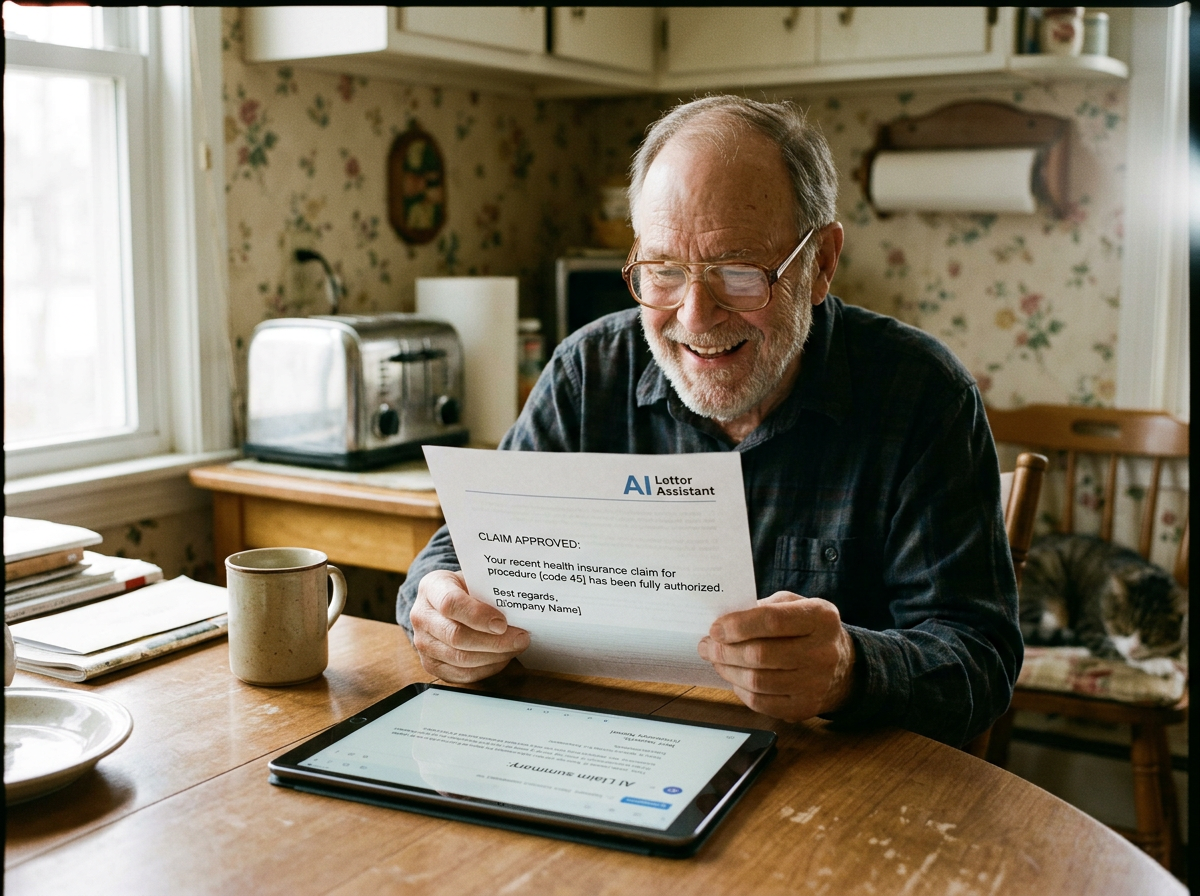
Then one Thursday afternoon in February 2024, I had a problem I didn’t know how to solve. I needed to write a formal letter to my health insurance company disputing a claim denial — the kind of letter that needed to be professional, specific, and persuasive. I’d been putting it off for two weeks because I didn’t know where to start, and every time I sat down to write it, I’d stare at the blank page and eventually find something else to do.
On a whim, I opened ChatGPT. I typed — clumsily, without any special technique — something like: “I need to write a letter to my insurance company. They denied a claim for a procedure my doctor said was necessary. I don’t know how to write this kind of letter. Can you help me?”
What came back stopped me cold.
A complete, professional, well-structured letter. In about fifteen seconds.
Not perfect — I spent another twenty minutes reading it, adjusting a few things, adding details only I knew. But the letter I sent was genuinely good. Better than anything I would have written alone after two weeks of procrastination.
The claim was approved three weeks later.
That Thursday afternoon changed how I spend my days. This article is the honest account of what I’ve learned since then — not theory, but the specific ways ChatGPT has simplified my daily life at 71, and exactly how you can use it too.
Why Daily Tasks Get Harder After 60 — And What That Has to Do With AI
I want to name something that doesn’t get discussed honestly enough.
Certain daily tasks that were straightforward at 45 become genuinely harder at 65 or 70. Not because we’ve gotten less intelligent. But because the tasks themselves have gotten more complex while our patience for complexity has — reasonably — gotten shorter.
Insurance paperwork used to involve a form and a phone call. Now it involves online portals, reference numbers, explanation of benefits documents, appeal processes, and deadline tracking. Healthcare itself involves multiple specialists who don’t always communicate with each other, and being an effective patient requires navigating all of that coordination yourself.
Technology that was supposed to simplify things has multiplied the things requiring technological competence. Managing finances, staying in touch with family across different platforms, renewing registrations and licenses online, understanding the privacy settings on your phone — each of these is a small, ongoing cognitive demand.
None of them are impossible. But accumulated across a day, they create a kind of friction that makes it easier to procrastinate, easier to feel overwhelmed, and easier to let important things slip.
ChatGPT doesn’t eliminate this friction. But it reduces it significantly in specific, concrete ways that I want to describe honestly.

Task One: Understanding Confusing Documents
This is where I use ChatGPT most often, and where it has saved me more time and frustration than anything else.
Medical bills. Insurance Explanations of Benefits. Legal documents. Government notices. Financial statements.
These documents are written by and for professionals in their respective industries. They assume familiarity with terminology that most of us don’t have. And when you don’t understand a document, you face a bad set of options: ignore it and hope it doesn’t matter, call a phone number and navigate hold music and transfers, or pay someone to explain it to you.
ChatGPT is none of those options. It’s a fourth way that didn’t exist before.
Here’s what I actually do. I read through the document myself first. I note the specific things I don’t understand — not generally confusing, but the specific sentences or terms that I can’t parse. Then I go to ChatGPT and type something like: “I received a Medicare Summary Notice and I don’t understand what it means when it says my claim was ‘assigned’ versus ‘non-assigned.’ Can you explain this in plain language?”
What I get back is a clear explanation, usually with a practical implication at the end — something like “what this means for you is that you may owe an additional amount above your copay.”
I’ve done this for:
- Explanation of Benefits from my Medicare supplement
- A notice about changes to my Part D prescription coverage
- A letter from my accountant about required minimum distributions
- The terms of a new credit card I was considering
- A lease renewal with changed terms that weren’t clearly explained
In each case, what had been an obstacle — something I was avoiding because understanding it felt like too much work — became something I handled within twenty minutes.
The Specific Prompt That Works Best
Don’t paste the entire document in and say “explain this.” That produces a long summary that may not address what you’re actually confused about.
Instead, quote the specific sentence or paragraph that confuses you, and ask a specific question about it. The more specific your question, the more useful the answer.
“Can you explain what this sentence means: [paste sentence]. I’m trying to understand whether I need to do something by a deadline.”
That format — quote the specific confusing text, state what you’re trying to figure out — consistently produces useful, actionable responses.
Task Two: Writing Letters and Emails You’ve Been Avoiding
I mentioned the insurance appeal letter that started all of this. But that’s not an isolated example.
I’ve come to realize that I had a category of communication tasks that I was consistently procrastinating on. Not because they were genuinely difficult. Because they required a kind of formal, professional writing that felt outside my natural register, and starting them felt like too much.
Formal complaint letters. Letters requesting accommodations for health reasons. Emails to doctors’ offices asking for clarification on treatment plans. Requests for records or information from institutions. Appeals of various kinds.
These are exactly the tasks where the gap between “I know what I want to say” and “I don’t know how to say it in the right way” creates a bottleneck that keeps important things undone.
ChatGPT closes that gap almost entirely.
The key is to give it enough context. Not just “write me a letter to my doctor.” Something more like: “I need to write an email to my cardiologist’s office. I had an appointment three weeks ago. The doctor recommended a stress test. I haven’t heard anything about scheduling it. I’m concerned because I have symptoms that were part of why the test was recommended. I want to follow up in a way that’s professional and clear without sounding demanding. Can you draft this email for me?”
That level of context — who, what, why, what tone — produces a draft that is immediately usable, requiring only minor personalization.
After I’ve used a draft like this, I always read it aloud before sending. If any sentence sounds wrong to me, I change it. The final product should sound like me, informed by a professional structure I wouldn’t have produced alone.
Task Three: Preparing for Medical Appointments
This is the use that I believe has had the most impact on my actual health outcomes — and it’s one that most people don’t think about when they think about AI.
Medical appointments are short. Fifteen minutes is common; thirty minutes is generous. In that time, you’re supposed to convey your symptoms accurately, understand the doctor’s explanation, ask the questions you came with, absorb new information, and make decisions about next steps.
That’s a lot to do when you’re also managing the anxiety that comes with health concerns and the cognitive load of being in an unfamiliar environment.
I now prepare for every significant medical appointment with ChatGPT’s help.
Here’s my actual process. About two days before the appointment, I sit down and write out — in plain language, to ChatGPT — what’s been going on. My symptoms. When they started. What makes them better or worse. What I’ve already tried. What I’m worried about. What I don’t understand about my current treatment.
Then I ask: “Based on what I’ve described, what questions should I ask my doctor? And are there things I should make sure to mention that I might not think to bring up on my own?”
What I get back is a list of organized, specific questions that I then refine and write on a small notepad I bring to the appointment.
The difference this makes is substantial. I go into appointments with a clear agenda. I don’t forget to mention the thing I most needed to mention. I ask questions that sometimes prompt conversations my doctor tells me were important to have.
I also use ChatGPT after appointments — to understand what was said more fully, to research terms or conditions the doctor mentioned, and to help me construct follow-up questions if something wasn’t clear.

“Enjoyed this article? Claim your
Task Four: Managing Information You Keep Forgetting
I’ll be honest about this one because I think a lot of people over 60 share the experience but don’t talk about it.
Working memory — the ability to hold multiple pieces of new information simultaneously while using them — becomes less reliable as we age. This is documented, well-understood, and affects virtually everyone to some degree by their late 60s and 70s.
What this means practically is that I might hear something important at a doctor’s appointment and have difficulty retaining the specific details by the time I get home. Or I might be told something on the phone about my insurance and lose the specifics within an hour.
I’ve started using ChatGPT as an organizational memory tool to compensate for this.
When I need to process or retain important information, I describe it to ChatGPT immediately — sometimes while still in the car after an appointment, using voice-to-text — and ask it to help me organize it into a clear summary I can refer to later.
“I just left my rheumatologist’s appointment. She said my inflammation markers are down from last time, which is good. She wants me to continue my current medications but is considering reducing the prednisone in about six weeks if things continue to improve. She also mentioned something about bone density — I think she said I should schedule a DEXA scan, and that I need a referral from my primary care doctor for it. Can you help me organize this into a clear to-do list with the things I need to follow up on?”
This takes about two minutes. What it produces is a clear, organized record of what happened and what needs to happen next — something I can save in my notes and refer to without relying entirely on my memory.
Task Five: Learning New Technology Without Feeling Stupid
Every few months, something changes on my phone, my laptop, or a website I use regularly. A new update. A redesigned interface. A new feature that shows up where something else used to be.
These changes, individually, are small. Cumulatively, they create a constant low-level sense of being slightly behind — of technologies that keep moving without waiting for you to catch up.
I used to handle this by either calling my daughter or spending forty-five frustrating minutes clicking around until I stumbled onto what I was looking for.
ChatGPT is a considerably better option.
“I have an iPhone and I updated it last week. Now I can’t find where to turn off the notification badges on my apps — the little red numbers. Where did it go?”
“I’m trying to attach a PDF to an email in Gmail on my computer but I can’t figure out how to do it. Can you walk me through it step by step?”
“My laptop is running Windows 11 and the Start menu looks completely different from what I’m used to. Can you help me figure out where the settings are?”
For each of these questions — all of which I have actually asked — I get a clear, step-by-step response that I can follow while looking at my screen. If I get confused at a step, I say so and ask for clarification. ChatGPT is infinitely patient in a way that humans — however well-intentioned — often aren’t when asked the same question multiple times.
What ChatGPT Cannot Do — And What You Should Know
I want to be honest about the limitations, because a guide that only describes benefits isn’t actually useful.
It makes mistakes. Not often, and usually not on straightforward tasks. But it can produce inaccurate information, particularly about medical specifics, legal details, or recent events. For anything where accuracy is critical — medical decisions, legal documents, financial choices — treat ChatGPT’s output as a starting point that requires verification, not a final answer.
It doesn’t know you. It knows only what you tell it in the conversation. This means that the quality of what you get out is directly determined by the quality and completeness of what you put in. Vague questions produce vague answers.
It cannot access your accounts or your documents. You have to bring the information to it. It can’t look at your insurance portal or your medical records on its own.
It can sound more confident than it should. This is one of its most consistent weaknesses. It doesn’t always signal uncertainty clearly. When you’re using it for anything important, ask: “How confident are you in this, and is there anything I should double-check?”
It should not replace professionals for serious decisions. It’s extraordinarily useful for preparation, understanding, and organization. It is not a substitute for your doctor, your attorney, or your financial advisor when real expertise and real accountability are required.

Getting Started: The Simplest Possible First Step
If you’ve read this far and you haven’t tried ChatGPT yet, here is exactly what to do.
Go to chat.openai.com. Click “Sign up” and create a free account with your email address. This takes about five minutes.
Then think of one thing — just one — that you’ve been putting off because it felt like too much. A letter you need to write. A document you don’t understand. A phone call you’re dreading and want to prepare for.
Open the chat window and describe your situation in plain language, the same way you’d explain it to a patient, knowledgeable friend. Don’t worry about using the right words or the right format. Just describe what you’re dealing with and what you need.
See what happens.
That’s it. That’s the whole starting point.
The sophistication comes later, through experience. The first step is simply giving it a real problem and seeing what it does with it.
Summary and Key Takeaways
ChatGPT is not magic and it’s not perfect. But for the specific friction points of daily life after 60 — the confusing documents, the letters you can’t quite start, the medical appointments you want to be better prepared for, the technology changes that keep catching you off guard — it is a genuinely useful tool that I use almost every day.
The learning curve is much shorter than any other technology I’ve adopted in my adult life. You don’t need to know anything technical to use it. You don’t need to use special language or commands. You just need to describe your situation and ask for what you need.
At 71, I’m a better advocate for my own healthcare than I was at 65, in part because ChatGPT helps me prepare more thoroughly and understand more fully what I’m dealing with. I’m faster at written tasks that used to take me days of procrastination. I’m less intimidated by technology changes because I have somewhere to go with my specific, embarrassingly basic questions.
None of that required me to become a technology person. It just required me to try one thing, see that it worked, and keep going.
10 Key Tips for Using ChatGPT After 60
1. Start with one real problem, not an experiment. The most useful first experience is solving something you actually need to solve. Pick something you’ve been putting off and bring it to ChatGPT first.
2. Write to it like you’re talking to a knowledgeable friend. No special language required. Plain, conversational description of your situation produces better results than formal or technical language.
3. Be specific about what you need. “I need help with my insurance” is too vague. “I received a denial letter for a claim and I want to appeal it. Can you help me write a professional appeal letter?” gives it what it needs.
4. Always read the output before using it. Every draft it produces needs your review. Look for anything that’s inaccurate, anything that doesn’t sound like you, and anything that doesn’t fit your specific situation.
5. Ask follow-up questions freely. If the first response isn’t quite right, don’t start over. Say “that’s helpful but can you make it shorter” or “I need you to include the date of the original claim.” Follow-up conversation produces better results.
6. Use it to prepare for appointments, not just to react after. The pre-appointment use — organizing your symptoms, generating questions, thinking through what you want to communicate — is one of the highest-value applications for health management.
7. For document understanding, quote the specific confusing text. Don’t paste the whole document. Quote the specific sentence or paragraph that confuses you, and ask a specific question about it.
8. Double-check anything medically or legally important. ChatGPT can be wrong, and it doesn’t always signal uncertainty clearly. For anything with real consequences, verify through a qualified professional.
9. Save useful outputs somewhere. If ChatGPT helps you create a useful document or a clear summary of important information, save it — in your notes app, in a folder on your computer, or printed out. It can’t remember previous conversations.
10. Be patient with yourself while you’re learning. The first few times feel slightly awkward. By the fifth or sixth use, it starts to feel natural. Give yourself the same patience you’d give anyone learning something new — including the patience you’d give a younger person.
Han Jong-woo is the author of AI Made Simple for Seniors, AI for Meaningful Living After 60, The $1,000 AI Side Hustle, and AI and Your Health After 60, all available on Amazon. He writes about AI and life after 60 at SummitSelect.org.
Tags: ChatGPT for Seniors | Using AI After 60 | AI Daily Tasks | ChatGPT Beginners | Technology for Older Adults | AI for Seniors 2026 | Simplify Life with AI
© 2026 SummitSelect.org — All Rights Reserved
It’s never too late to learn, grow, and discover new possibilities.
Explore the books of Han Jong-Woo, where artificial intelligence, lifelong learning, personal growth, andIt’s never too late to learn, grow, and discover new possibilities.
Explore the books of Han Jong-Woo, where artificial intelligence, lifelong learning, personal growth, and meaningful living come together to inspire your next chapter.
Whether you’re curious about AI, seeking purpose, or simply looking for fresh inspiration, you’ll find books designed to encourage, empower, and enrich your life.
▶ Visit Han Jong-Woo’s Amazon Author Page and discover all of his books today. meaningful living come together to inspire your next chapter.
▶ Visit Han Jong-Woo’s Gumroahttps://threebells.gumroad.com/d Author Page and discover all of his books today. meaningful living come together to inspire your next chapter.
Leave a Reply